What is Mibio? Your product, profile, dashboard and app
Updated
Mibio has four parts that work together. Here is what each one does, so you know where to go for what.
Your Mibio product
A Mibio card, Mibio Hub or Mibio Dot with an NFC chip inside. When someone holds their phone near it, your profile opens in their browser, with no app needed. If your product has a printed QR code, scanning it opens the same profile.
Your profile
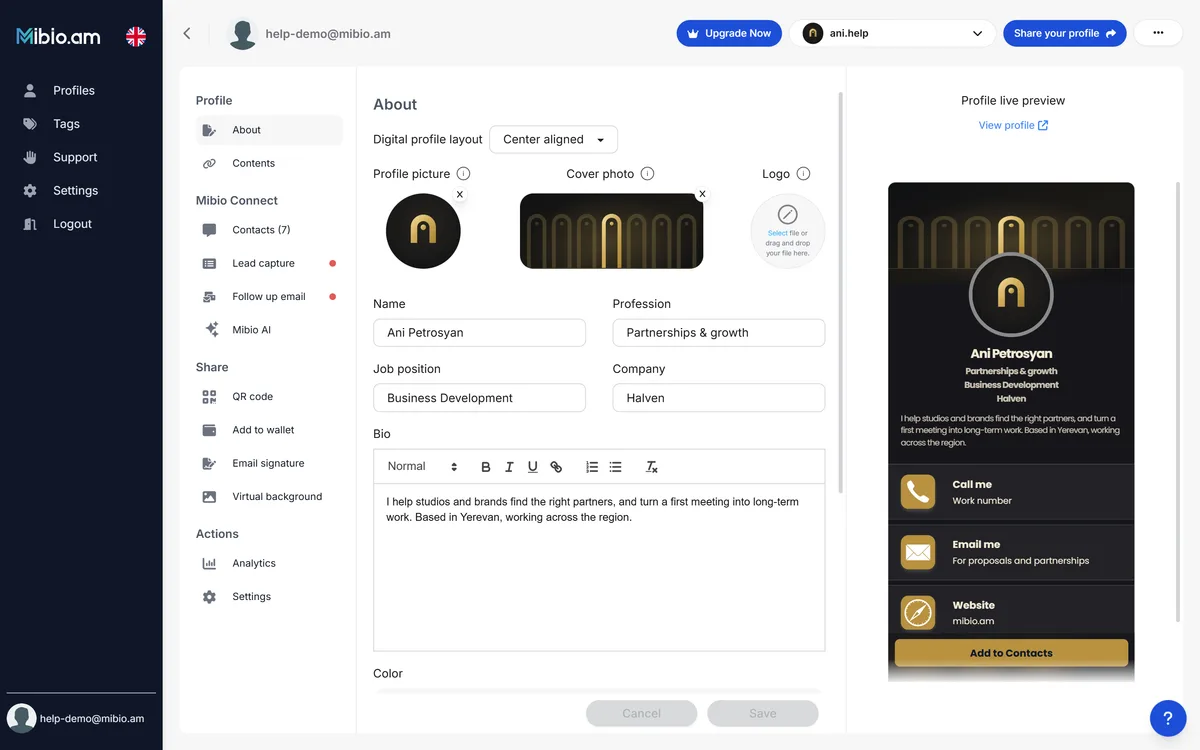
Your profile is a web page on mibio.bio with your photo, contact details and links. Anyone who opens it can save your contact to their phone. You can change it whenever you like, as often as you like, and your product shows the new version straight away. You never need to touch the product again.
The dashboard on mibio.bio
Log in at www.mibio.bio on a computer or a phone to edit your profile. From there you can also share it, download your QR code and add it to Apple Wallet or Google Wallet. You can also see the contacts you have collected.
The Mibio app
The Mibio app for iPhone and Android uses the same account. Use it to edit your profiles, share them from your phone and scan paper business cards into your contacts.