
Reset your password, change your email or delete your account
Updated
Here's how to get back into your account, change your sign-in details or delete the account.
Reset a forgotten password
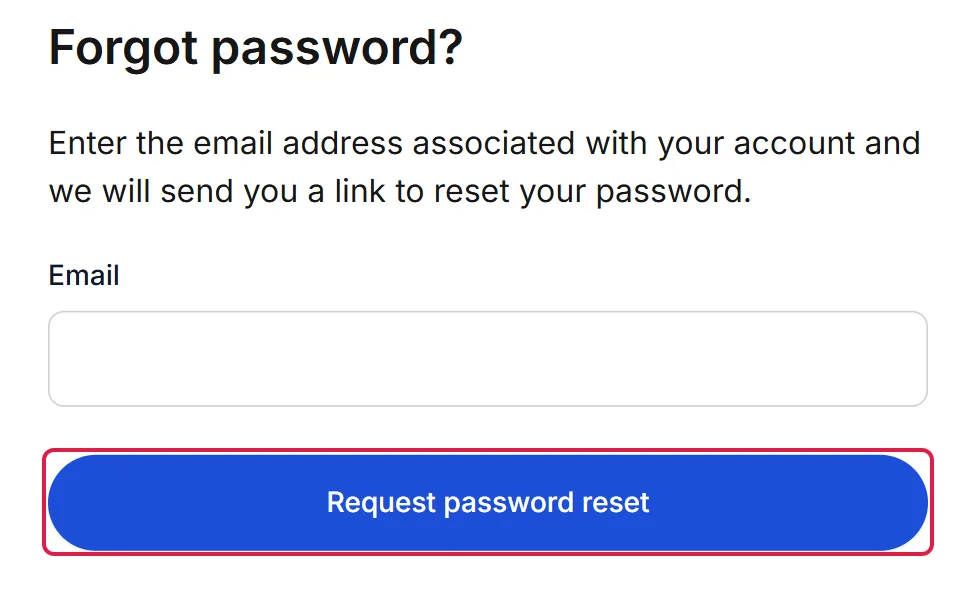
- On the sign-in page at www.mibio.bio, choose Forgot your password? In the app, tap Forgot password?
- Enter the email address you sign in with and send the request.
- Open the email we send you and follow its link to choose a new password. If it isn't in your inbox, look in your spam folder.
If you created your account with Google or Apple, there's no Mibio password to reset: sign in with the same Google or Apple account.
Change your password
If you sign in with an email and password: on the website, open Settings in the main menu and fill in Change password. In the app, go to Settings › Change password.
Change your email address
The email address you sign in with can't be changed in the app or on the website yet. Contact us from your current address, tell us the new one, and we'll help.
The email shown on your profile is separate: change it any time by editing your profile.
Delete your account
Deleting your account is permanent. It removes all your profiles and everything on them, and every contact you've saved or scanned. Pro is cancelled first, so you aren't charged again. Your Mibio products stop opening a profile, and your profile links stop working.
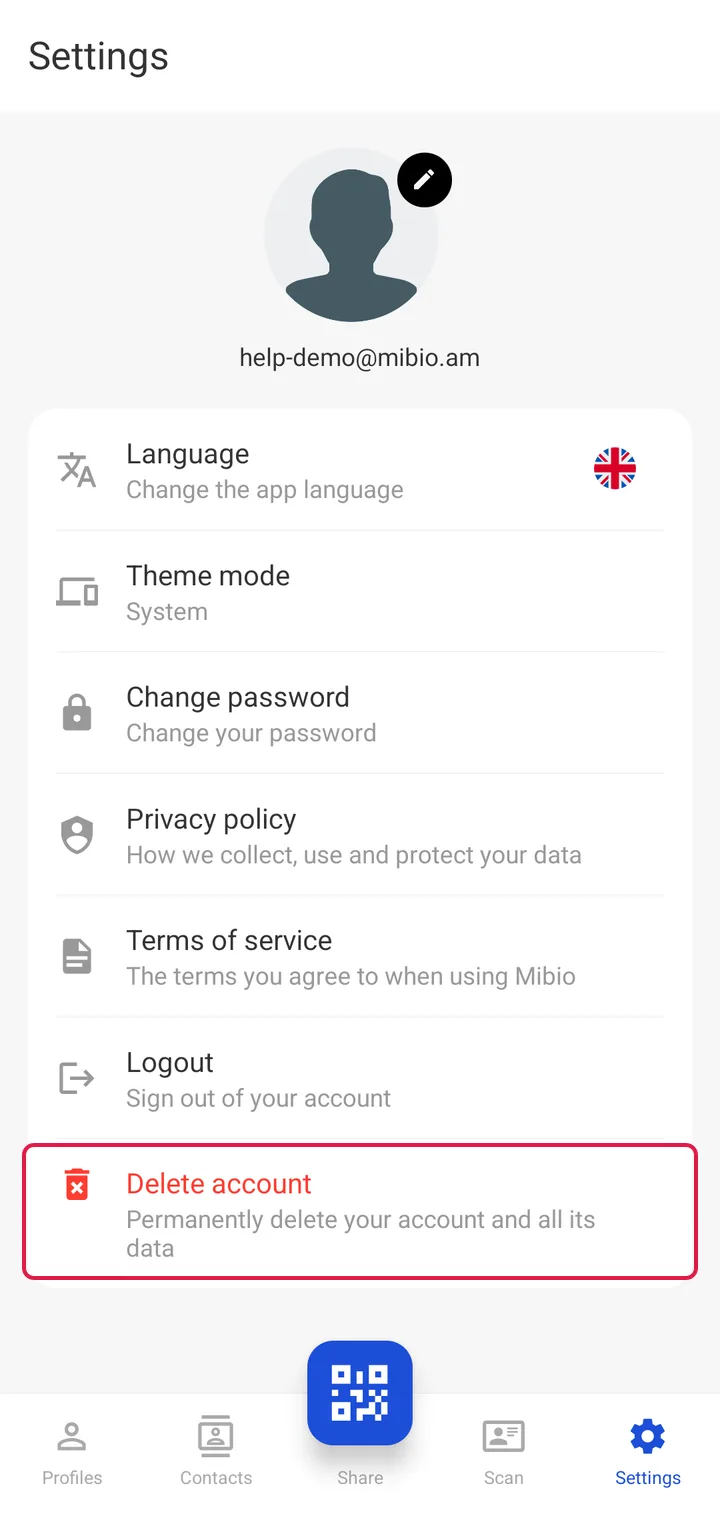
- In the Mibio app, go to Settings › Delete account.
- If you sign in with an email and password, enter your password.
- Tap Permanently delete account, then Delete.
If you can't use the app, or you'd rather we did it, contact us and we'll delete the account for you.